
Buying a phone with too little storage is frustrating. It can feel spacious on day one, then start asking you to delete videos or apps a year later. Yet paying for capacity you never use is money that could go towards a better screen or battery.
So how much phone storage do you need? For many people, 128GB is workable, while 256GB offers breathing room. Frequent 4K filming, large games or extensive offline downloads may justify 512GB or more. Your habits matter more than the brand on the phone.
Which capacity should you choose?
128GB: for lighter use
Choose 128GB if you mainly message, browse, stream entertainment, take occasional photos and use a modest set of apps. It works best when you regularly back up pictures and don’t maintain an extensive offline library. You may need to manage storage periodically, particularly if you keep the device for several years.
256GB: room to grow
For most people weighing a 128GB vs 256GB phone, 256GB is more forgiving. It accommodates growing photo collections, bigger apps and unplanned video recording. Consider it if your current device already uses close to 100GB or you expect to keep your next phone for three to five years.
512GB or 1TB: for heavier demands
These capacities suit regular high-resolution filming, large offline media libraries, several substantial games or work involving local files. A terabyte isn’t automatically better; it is worth the premium only when you have a realistic use for it.
Check your current phone before shopping
The most useful smartphone storage guide starts with your own data. Open your phone’s storage settings and check the total used, not just the advertised capacity. Look at the space occupied by photos, apps, downloads and system data. The menu location varies by device.
If you’ve used 85GB after two years and plan to keep your next phone for four, 128GB may become restrictive. If you’re using only 45GB after three years, it may be enough. Think about recent cleanups too: an unusually empty gallery doesn’t necessarily reflect your normal habits.
Advertised storage isn’t entirely available for personal files. The operating system, built-in apps and system data use some space, and updates and temporary files need room. Exact usable capacity varies by phone, so don’t plan to fill every last gigabyte.
What uses the most space?
Photos and videos
Phone storage for photos depends on camera formats. Compressed pictures may use only a few megabytes each, while RAW images and advanced modes can be considerably larger. Thousands of images accumulate, particularly when messaging apps save copies.
Video is often the deciding factor. High-resolution recordings can use hundreds of megabytes per minute, depending on resolution, frame rate and compression. Someone filming long 4K clips may need far more room than a person taking still photos. Check the sizes of a few real clips in your gallery rather than relying on a universal estimate.
Apps, games and saved data
Wondering how much storage for apps you need? Simple utilities may occupy little individually, but social apps build caches, messaging services collect attachments and editing apps store projects. Large games can require many gigabytes and may download extra content after installation.
Don’t just count app icons. Look at the storage breakdown, including app data. One chat app holding years of videos may consume more space than dozens of ordinary utilities.
Offline downloads
Downloaded shows, music, podcasts and maps add up without appearing in your photo library. They’re particularly relevant for commuting, flights and unreliable connections. Streaming saves local space, but only when your data plan and internet access allow it.
A practical way to estimate future storage
Start with your current used space, estimate the files you’ll add over your planned ownership period, then leave a safety margin for updates and surprises. This is more reliable than simply choosing the biggest capacity you can afford.
Imagine your phone currently uses 90GB: 35GB for photos and video, 25GB for apps and their data, 10GB for downloads and 20GB for system and other files. If usage grows by roughly 15GB annually for three years, you’d reach around 135GB before leaving spare capacity. In that case, 256GB is a sensible purchase; 128GB would require regular offloading.
Now identify what grows fastest. Downloads you delete after a holiday create a different long-term need from family videos you want available locally. Our phone buying checklist can help you balance storage against camera, battery and display features.
Can cloud storage replace internal storage?
Cloud photo services can make 128GB easier to live with, especially if they offer optimized local copies while keeping full originals online. But uploading a backup doesn’t necessarily delete the original from the device. Check your service’s settings before assuming that a backup frees space.
Cloud storage can cost a recurring subscription and retrieving originals may require internet. Apps, games and offline content still use local space. A guide to backing up phone photos is helpful, but cloud capacity isn’t a direct replacement for internal storage.
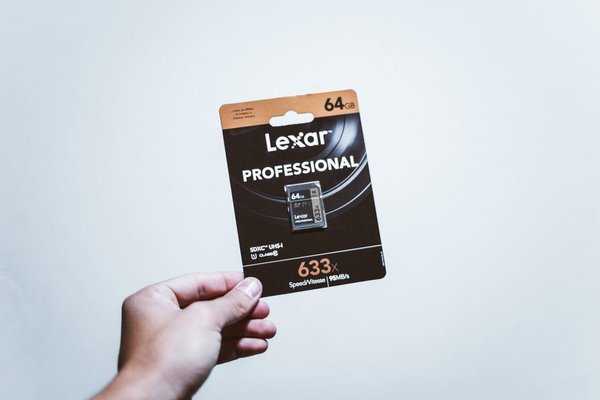
Also check expandable storage carefully. Many modern phones don’t support microSD cards, and compatible cards may not accommodate every app or type of data. Base your choice on internal storage you can reliably use.
Frequently asked questions
Is 128GB enough for a phone in 2026?
Yes, for lighter use, especially with streaming and regular photo management. It becomes less comfortable with substantial 4K video, big games or years of accumulated files. Your current usage offers the best clue.
Is 256GB worth paying extra for?
Often, if the price difference is manageable and you plan to keep the device for years. The added space reduces storage housekeeping. If you consistently use very little storage, the upgrade may bring no practical benefit.
How much storage do I need for lots of photos?
Check how large your existing library is and whether you also record video. Many photo-heavy users find 256GB comfortable, but frequent RAW shooting or high-resolution filming can justify 512GB or more.
Can I increase internal storage later?
Usually not. Built-in phone storage is generally fixed at purchase. Cloud plans and compatible memory cards can help with certain files but don’t increase the phone’s internal capacity.
Make the choice based on your habits
For predictable, light use, 128GB remains practical. For growing photo, app and video collections, 256GB is a comfortable default. Choose 512GB or higher when your actual files justify it. Check used space, project likely growth and leave room to spare. If you’re already near capacity, learning how to free up phone storage can also clarify which files you genuinely need to keep.